TranscribeKit v1.1.0 Multilingual Pre-Activated
Multilingual | 64bit | RePack
TranscribeKit v1.1.0 Multilingual Pre-Activated
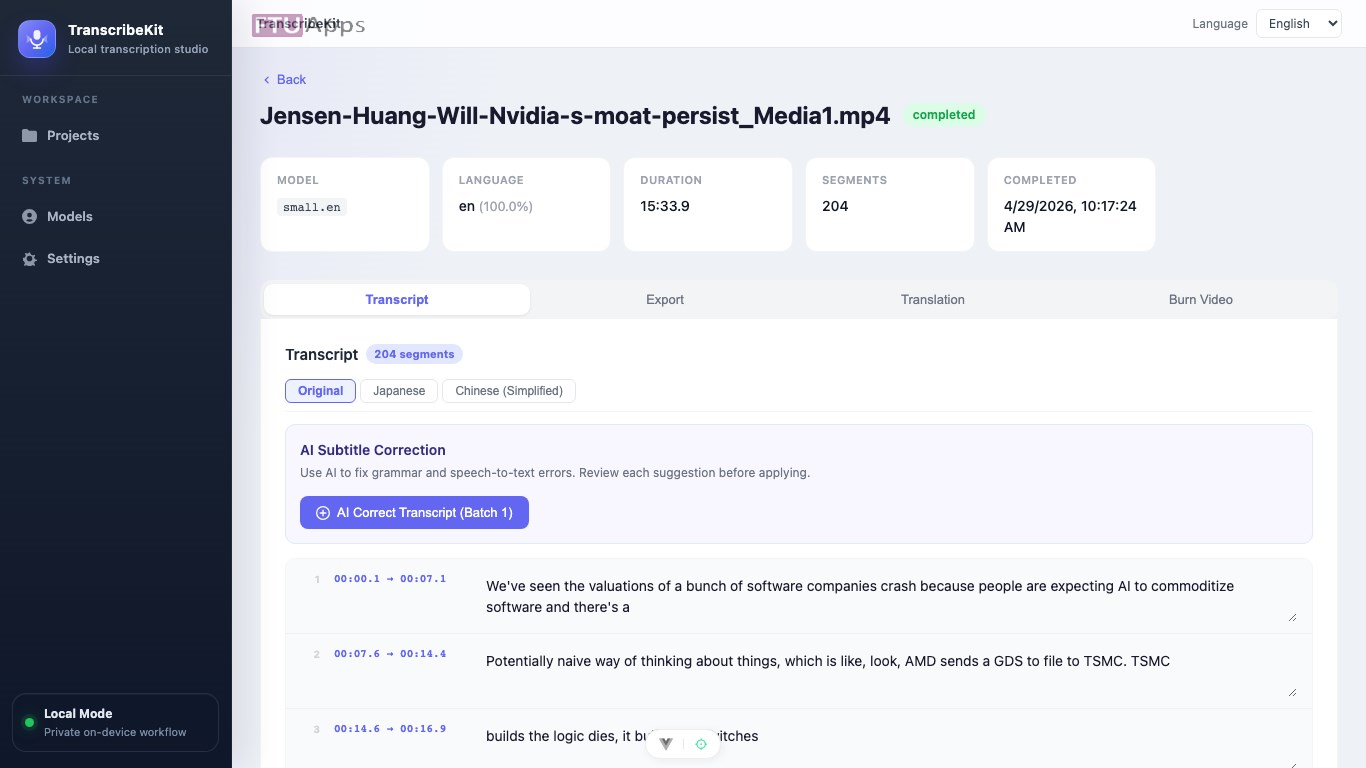
TranscribeKit helps creators, educators, teams, and solo professionals turn audio and video into editable subtitles with a focused desktop workflow. Import your media, create a transcript, workflow.review..
Your audio. Your machine. Transcribed. Convert any audio or video to accurate, editable subtitles — entirely on your Windows PC. No cloud. No subscription. No account required.
Uses AI features:
Upload
Drop in any audio or video — MP3, WAV, MP4, MKV, MOV, WEBM, and more.
Pick a model
Download once, use forever. Choose Tiny through Large based on your hardware.
Transcribe
Runs on your CPU. Auto-detects language. Edit any segment directly in the app.
Export
Export in 5 formats, translate into 19 languages, or burn subtitles into video.
Everything you need to work with spoken content.
A focused toolset for podcasters, researchers, filmmakers, journalists, and educators.
Accurate Transcription
Industry-leading Whisper AI transcribes with professional accuracy across 60+ languages. Voice Activity Detection filters silence for cleaner results.
Editable Segments
Every transcribed segment is editable. Fix words, review timecodes, and search across the full transcript — all within the built-in editor.
AI Translation
Translate transcriptions into 19 languages via OpenRouter. Supports GPT-4o, Claude, Gemini, Llama, and more. Progress-tracked and re-translatable.
Burn Subtitles into Video
Permanently embed subtitles into MP4. Customize font, size, color, and position. Dual-subtitle mode shows original and translation simultaneously.
AI Proofreading
Let AI review and suggest corrections to your transcription. You see every change before it’s applied — nothing is modified without your approval.
100% Private
Transcription runs entirely on your CPU. Your files never leave your machine. No account. No subscription. No data collection.
What’s New:
– Initial Microsoft Store release with transcription, subtitle editing, export, translation, and video subtitle burn-in workflows.
Operating System:
– Windows 10 version 17763.0 or higher (64bit)
Microsoft Store Link: https://apps.microsoft.com/detail/9p9c24c7757f?hl=en-US&gl=US
Homepage: https://transcribekit.iamdev.me
Install & Enjoy, No activation is required / Instruction is Included in the folder!

– Read the False-Positive Infection guidance on web, get knowledge before making noise!
Size: 336MB

Comments
Post a Comment